Get started with Aiven
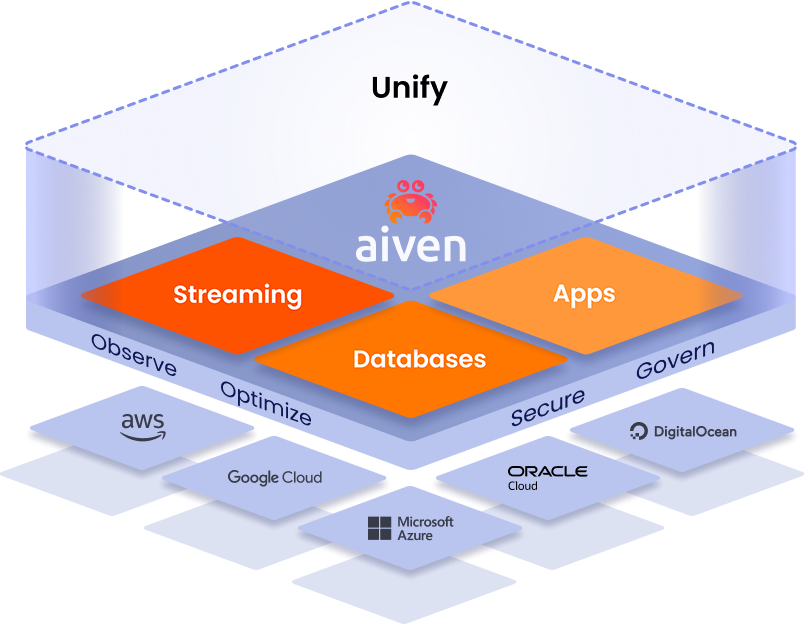
Aiven provides managed open source services for streaming, databases, and applications across major cloud platforms. All services run reliably and securely in the clouds of your choice, are observable, and can easily be integrated with each other and with external third-party tools.
Try the Aiven Platform for free
The Aiven Platform streamlines your operations by centralizing your cloud infrastructure, security, and observability in one unified control plane. You can access the platform through the Aiven Console, Aiven API, Aiven Provider for Terraform, Aiven CLI, and Aiven Operator for Kubernetes®.
Aiven offers free plans and 30-day trials for you to explore the platform and services.
Aiven services are also available on the AWS, Azure, and Google Cloud marketplaces.
First steps
Set up your organization and create your first service.
Step 1: Set up billing
Step 2: Set up your organization
Step 3: Manage organization users
Start collaborating by adding users to your organization, creating groups, and assigning them to projects. You can add users manually to your organization or create managed users through your identity provider (IdP).
Add users to your organization
- Add users manually
- Create managed users
Make your organization users managed users by verifiying a domain and configuring an identity provider.
Aiven also supports automatic user provisioning with Okta through System for Cross-domain Identity Management (SCIM).
Set up user groups
Add users to groups to streamline access management to your Aiven projects and services.
Step 4: Secure your organization
Step 5: Create your first service
Start deploying services in your project to stream, store, or analyze your data.
Create a service in the Aiven Console
Create a service using the dev tools
The get started guide for each service includes examples for creating a service using the Aiven Provider for Terraform.
You can try out more service and integration examples using code samples for the Aiven Terraform Provider or Aiven Operator for Kubernetes®.
Create a service using the Aiven CLI or API.